Property Owner Dashboard
Quick Access:
Actions: Clicking ‘Actions’ will navigate you to the Actions panel on your dashboard.
Maintenance: Clicking 'Maintenance' will navigate you to the Maintenance panel on your dashboard.
Rent Collection: Clicking 'Rent Collection' navigate you to the Rent Collection panel on your dashboard.
Finances: Clicking 'Finances' will navigate you to the Finance panel on your dashboard.
Properties: Here you can click on the property to navigate down to property level.
Owner actions can be viewed here. Clicking any sub category will expand the panel.
Compliance Actions:
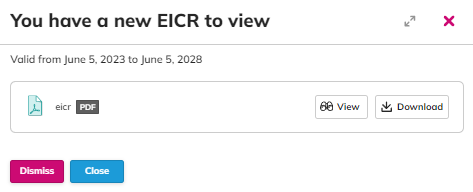
Further filtering options are available on the drop down menu. You're able to ‘dismiss’ actions once you have seen them or ‘view’ the action. When you click to ‘view’, this presents a pop out which allows you to ‘view’ or ‘download’ the document added.
Maintenance Actions:
If there are any maintenance issues shared with you, you will be able to view all details regarding the maintenance issue here.
Rent Collection:
Here, you can see a full breakdown by property or tenancy of rents that are overdue, due today, due this month or due next month:
Finance Actions:
If you have any settlement statements published to you, you will be able to view all settlements here.
Properties:
Here, you can click on any of the properties you own to take you through to property level.
Quick access buttons allow you to look at the compliance documents added to the property, the tenant contracts (managed properties only), maintenance for the property (if shared) and the rent collection panel for the property.
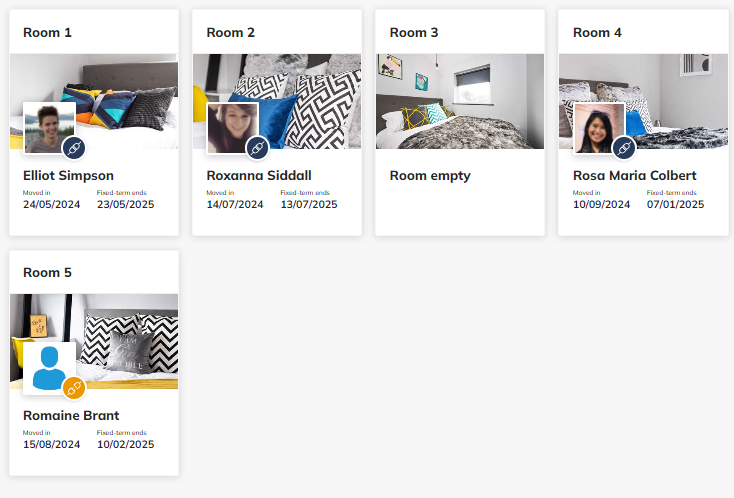
They can view the number of rooms, the tenants full names and their AST dates.